
Teacher Reports are live pupil progress reports. They update the moment a pupil finishes a topic or test on the Monster Learning platform, so you can keep the page open while the class works. Every Monday, a short Weekly Activity Report sums up the week for each class.
No marking and no spreadsheets. Just a clear picture of who is doing well, which questions caught the class out and who might need a little extra support.
Recent activity, Question Skyline, Class Progress and pupil profiles.
A one-page summary of the week, with possible next steps.
One page of live pupil progress reports for each class, open on your laptop or iPad. It refreshes by itself, so results appear as pupils finish their work.
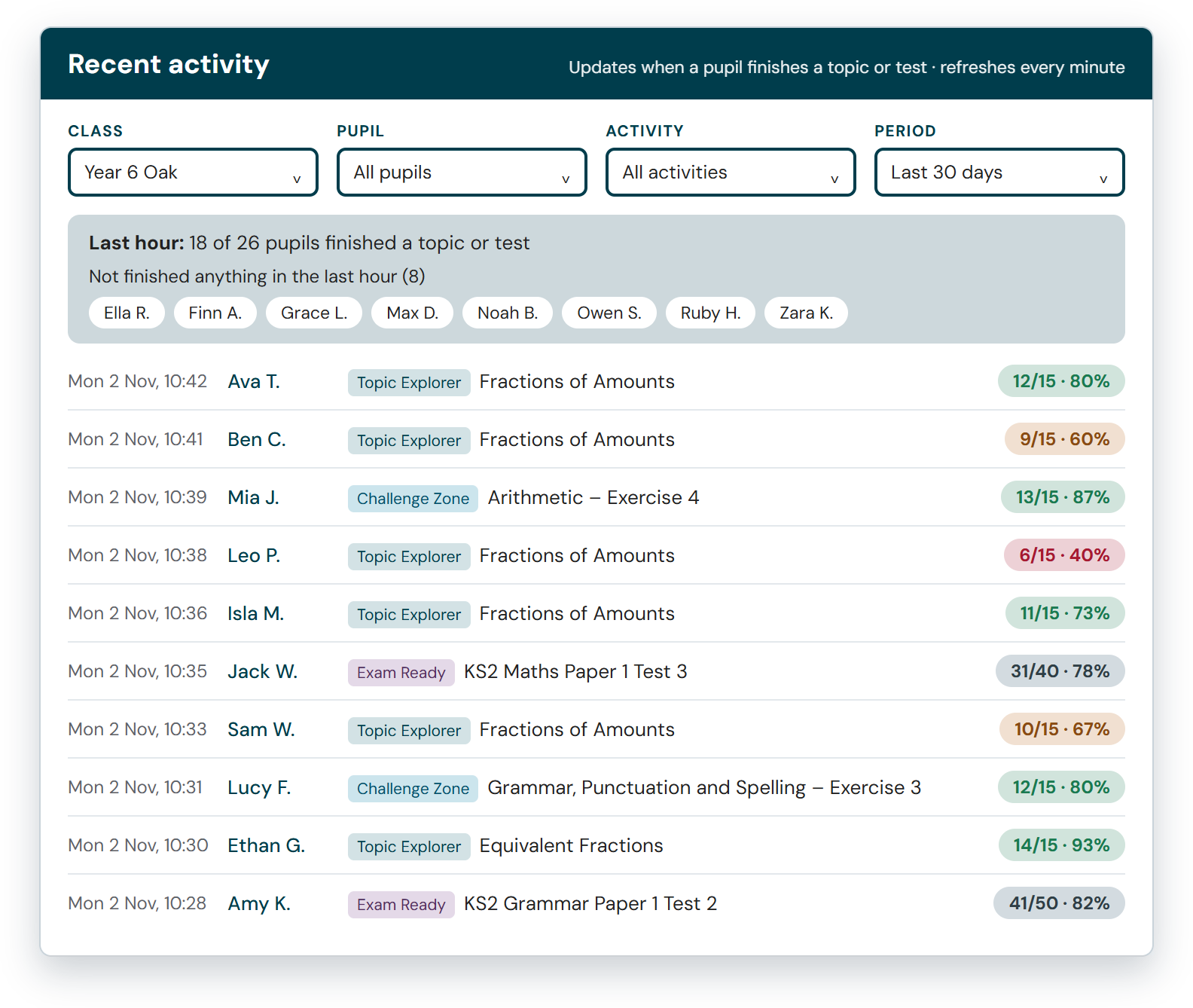
See results as pupils finish
Every topic, exercise and paper appears here as soon as a pupil finishes it, with the score and the time. The page refreshes every minute.
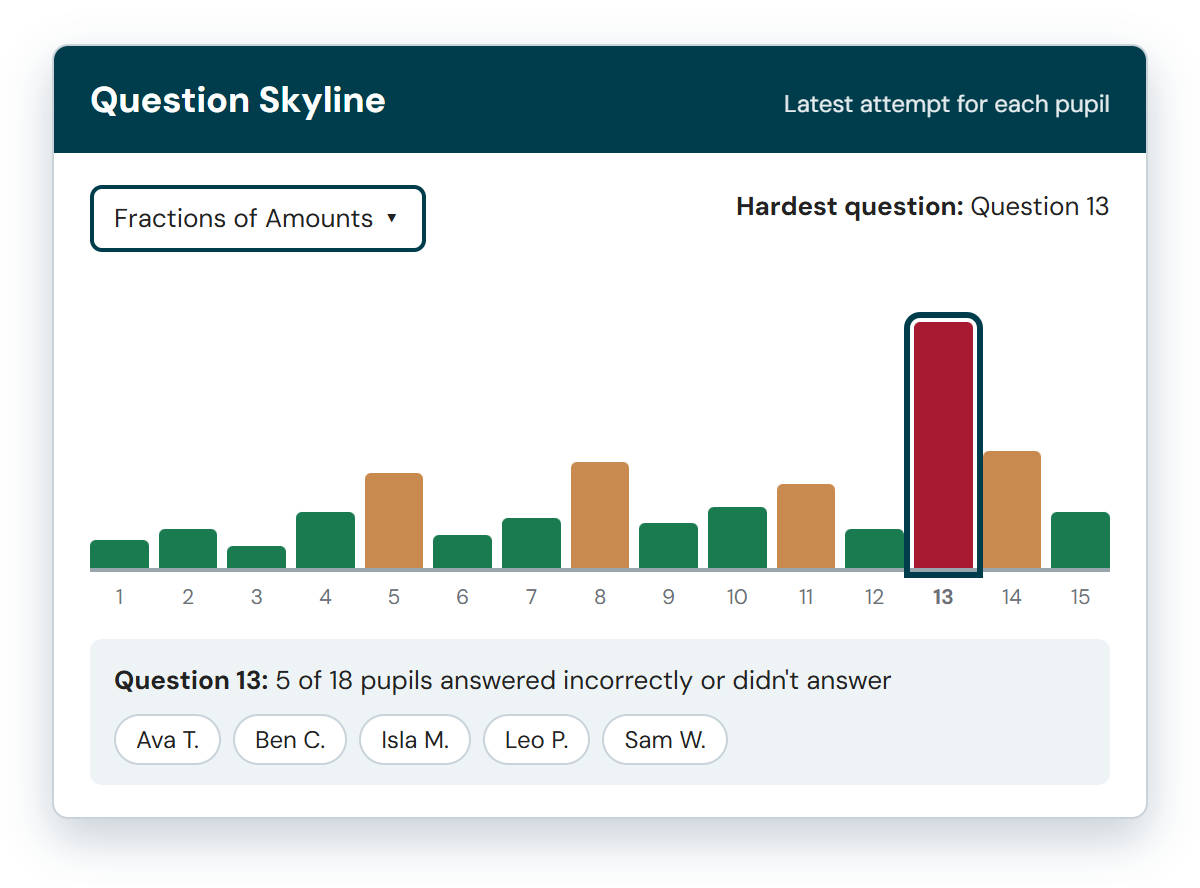
Find the question that caught the class out
Pick any topic or test. Each bar is one question: the taller the bar, the more pupils answered it incorrectly or didn’t answer it.
Select a bar to see which pupils may need further support. You can also open the full grid to see every pupil, question by question.
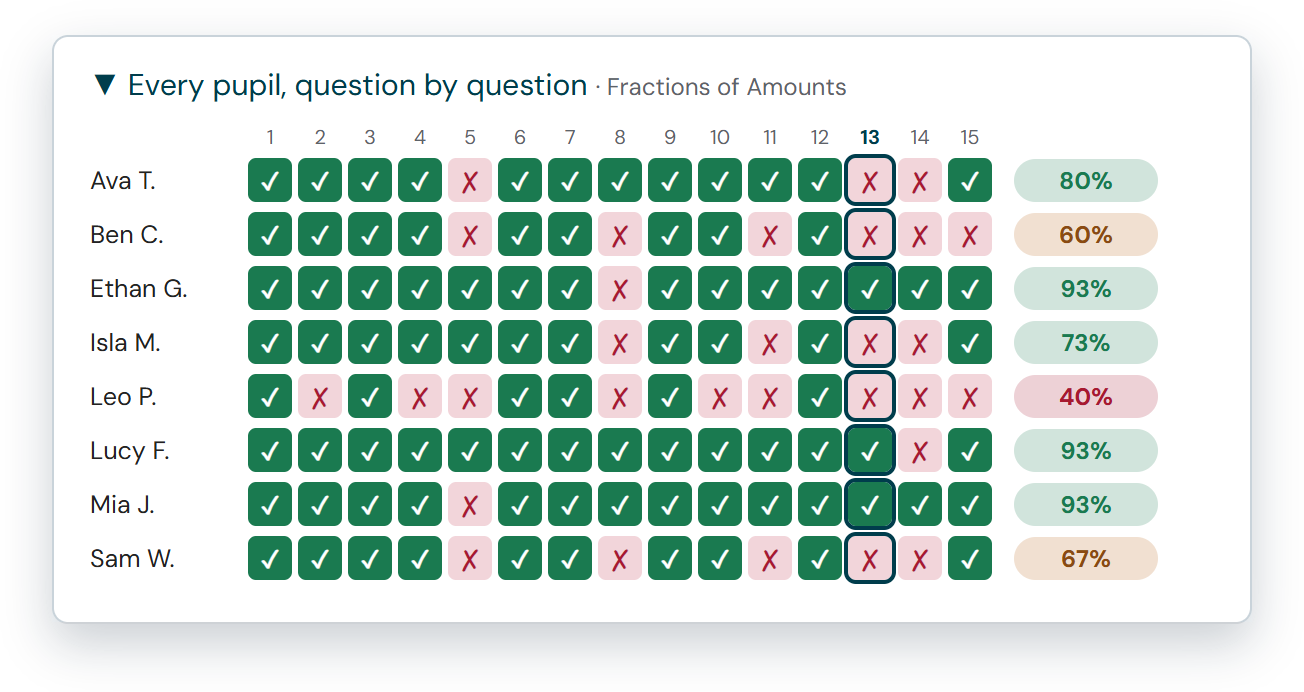
See exactly who got each question right
Open the question-by-question grid beneath the Skyline to view your whole class’s results in one place. Each row represents a pupil and each column a question. Ticks and crosses show whether each pupil answered correctly on their latest attempt, with their total score at the end.
The question you selected on the Skyline stays highlighted, so you can see straight away who’s got it and who needs help.
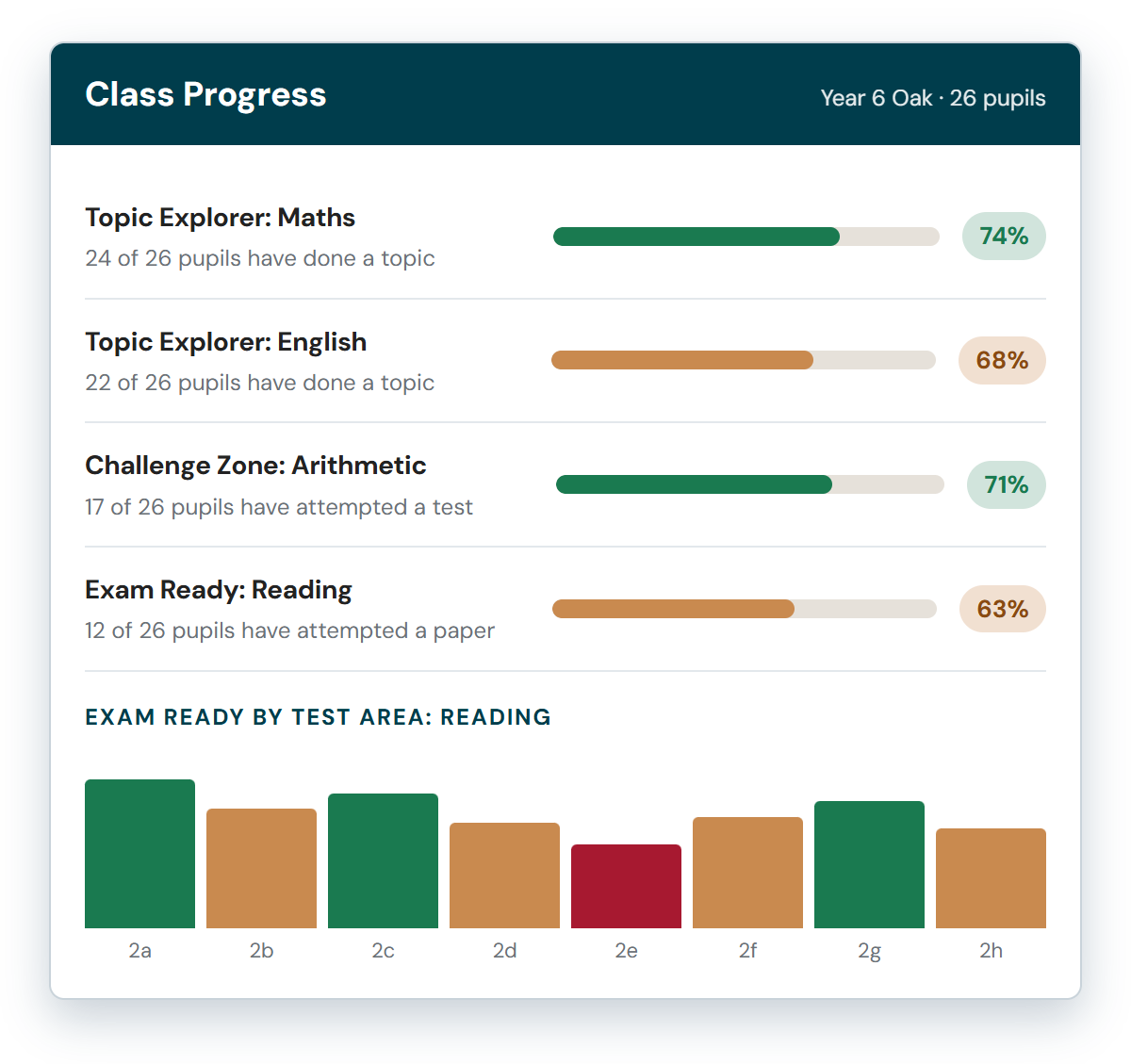
The whole class at a glance
See the class average for every subject in Topic Explorer, Challenge Zone and Exam Ready and how many pupils have made a start. Open any row to see each pupil’s best score and when they were last active.
Topic Explorer rows break down by strand and Exam Ready papers break down by test area, so you can see which parts of the SATs papers need more work.
Every pupil’s progress in one place
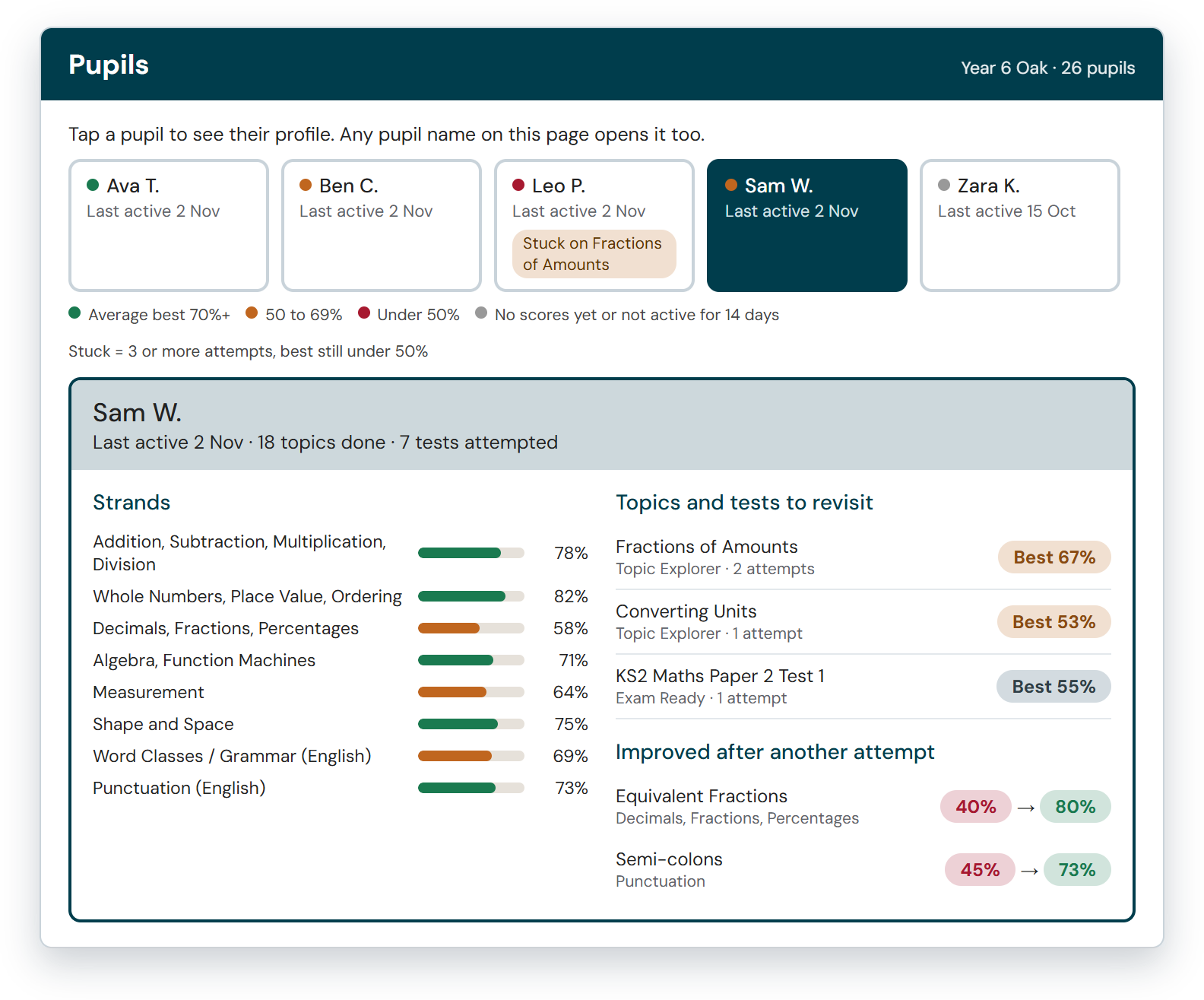
Select any pupil’s name on the page to open their profile. It shows when they were last active, their score in each strand and the topics and tests worth revisiting.
Pupils who have made 3 or more attempts without reaching 50% are marked “Stuck”, helping you identify who might need some extra support. You can also see where another attempt has helped a pupil improve.
A short summary of each class’s week, Monday to Sunday. Read it in a couple of minutes, then open the live page for the detail.
Your data, already understood
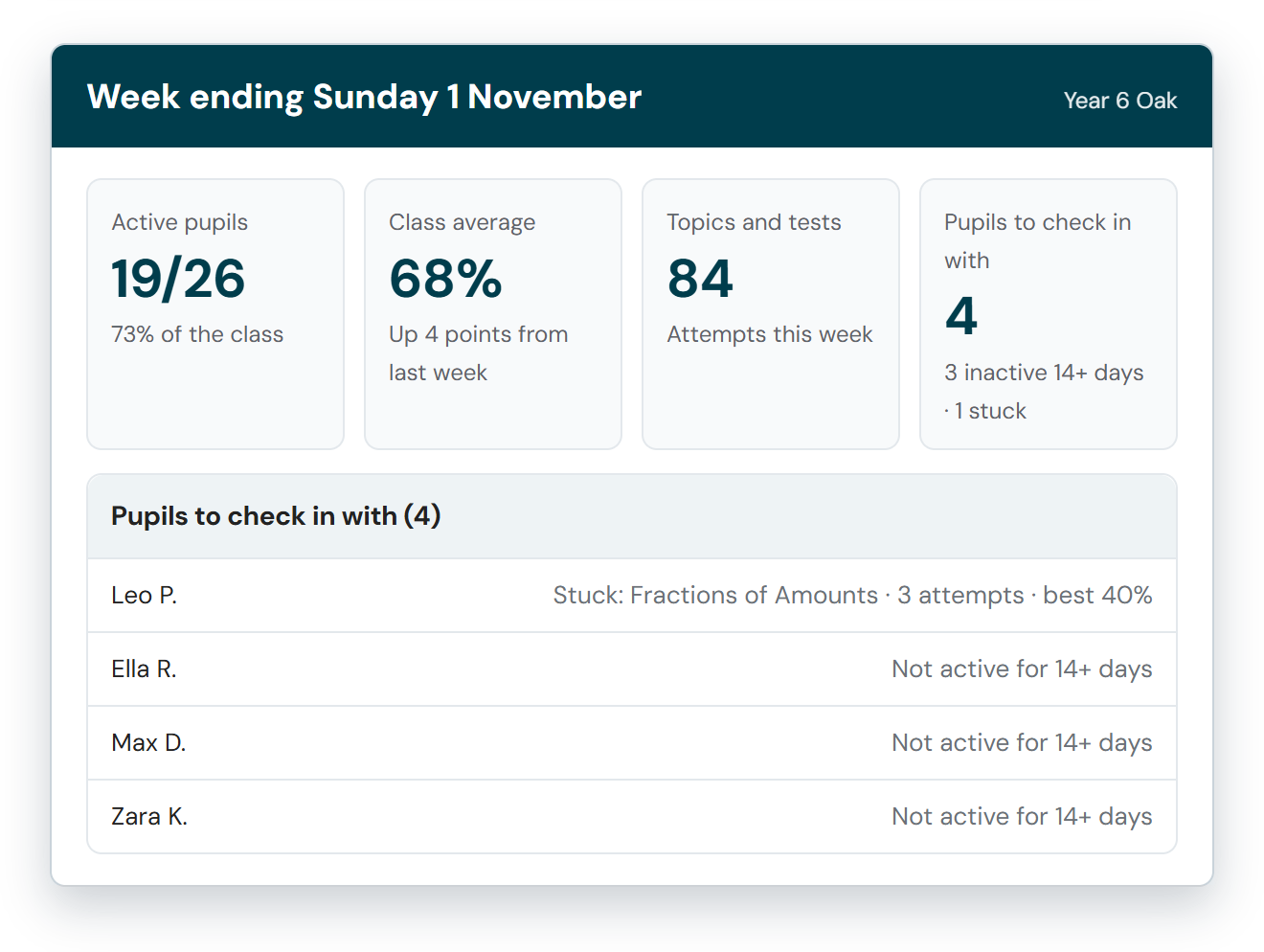
Get an instant overview of class activity, including how many pupils have been active, how many topics and tests they’ve attempted and the class average. See how these figures have changed since last week.
The report also highlights pupils who may need a check-in: anyone who hasn’t been active for 14 days, or anyone who’s stuck on a topic or test.
Strengths and gaps, picked out for you
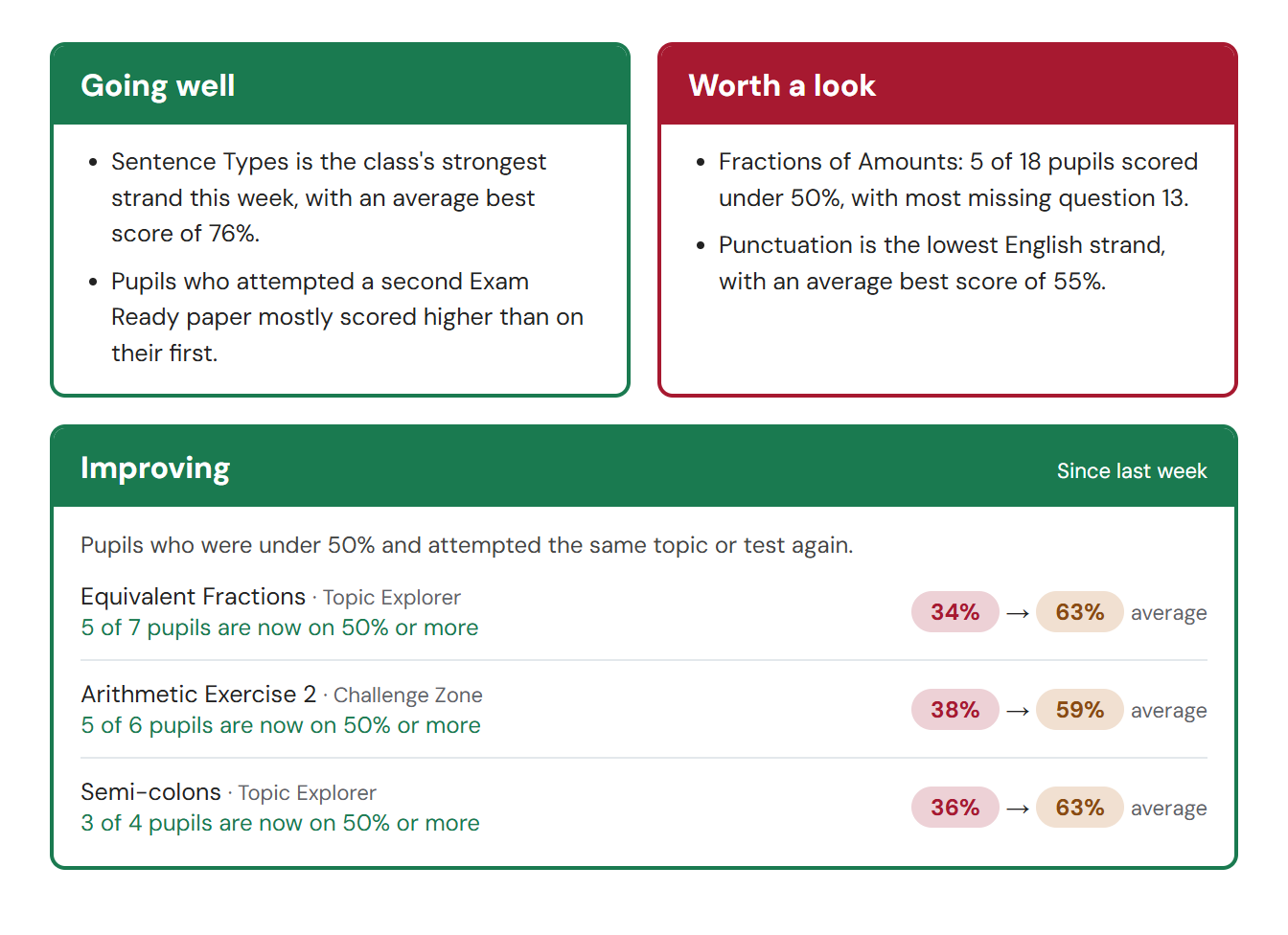
Two short lists pick out the class’s strongest areas and the ones that may need more time.
The Improving panel shows pupils who scored under 50% and then attempted the same topic or test again, with their average before and after.
Ideas you can use straight away
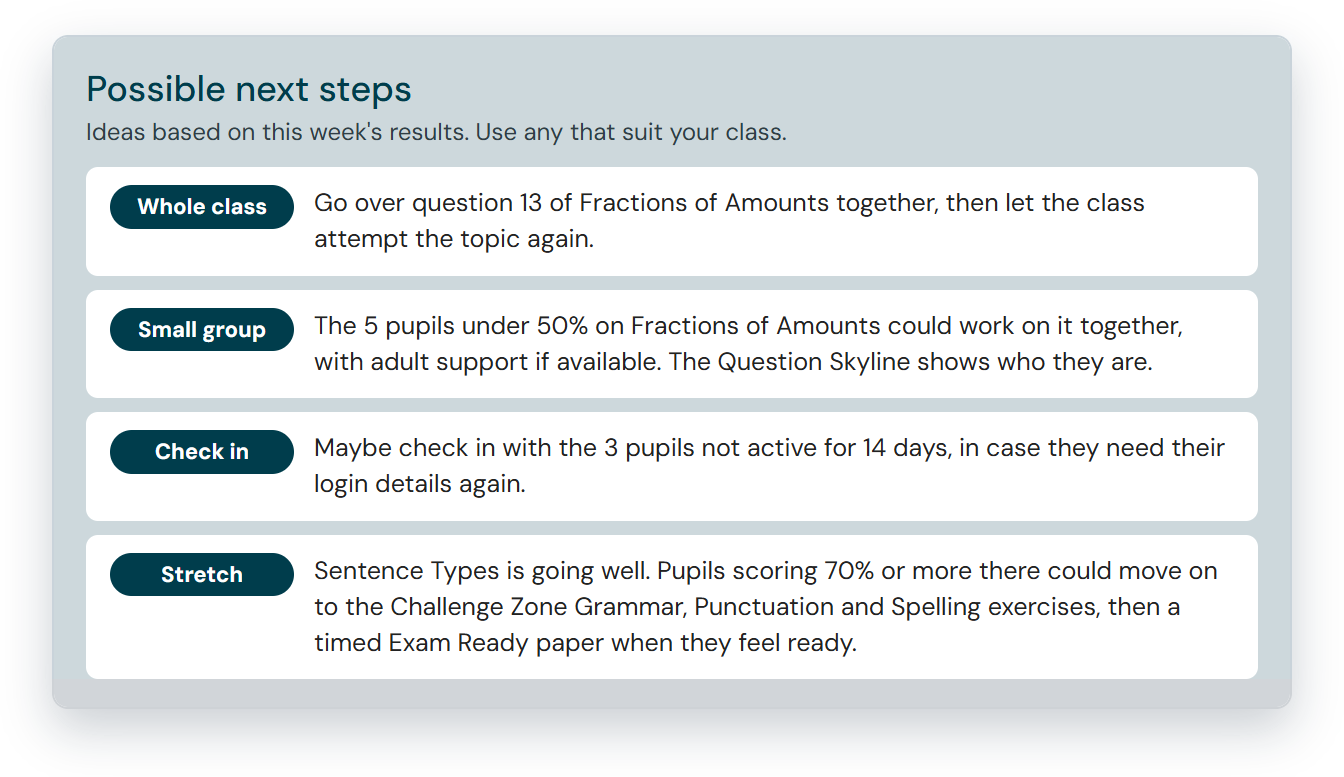
The report finishes with some practical suggestions based on that week’s results: an activity for the whole class, ideas for a small group, pupils to check in with and a stretch activity for those who are flying. Pick and choose what works for your class.
Every report is saved in the Report Archive, so you can revisit previous weeks, download reports as PDFs or share them with colleagues.
Try Monster Learning free with your Year 5 and Year 6 classes for 14 days. There is no cost and nothing to install.